Pages

Gambit Communications® Network Simulation

Gambit Communications® is a provider of tools for simulating servers, networking and storage devices.

Network management software

MIMIC Simulator for testing your network management software.

Network Management Apps

MIMIC Simulator for testing your network management software. SNMP Simulation.

MIMIC Web Simulator

Create a large virtual lab with Gambit Communications.

IOS Simulator

IOS based apps Using MIMIC Simulator.

Monday, 5 December 2016

Understand the Secrets of Web Simulator in Business Arena


In the present time developing any kind of web application requires a good analyze and efficient before it actually constructed. It is one of the excellent approach or tools that are used for various reasons and as it provides many setting options and features to develop web applications. Many people use this approach to debugging their web application with attractive settings and features that will allow you to create user-friendly web applications.

The use of Web simulator helps in creating responsive design based web applications for the online users. The informative, quality based with numerous features web stimulator serve an ultimate purpose to meet the needs of the organization effectively.
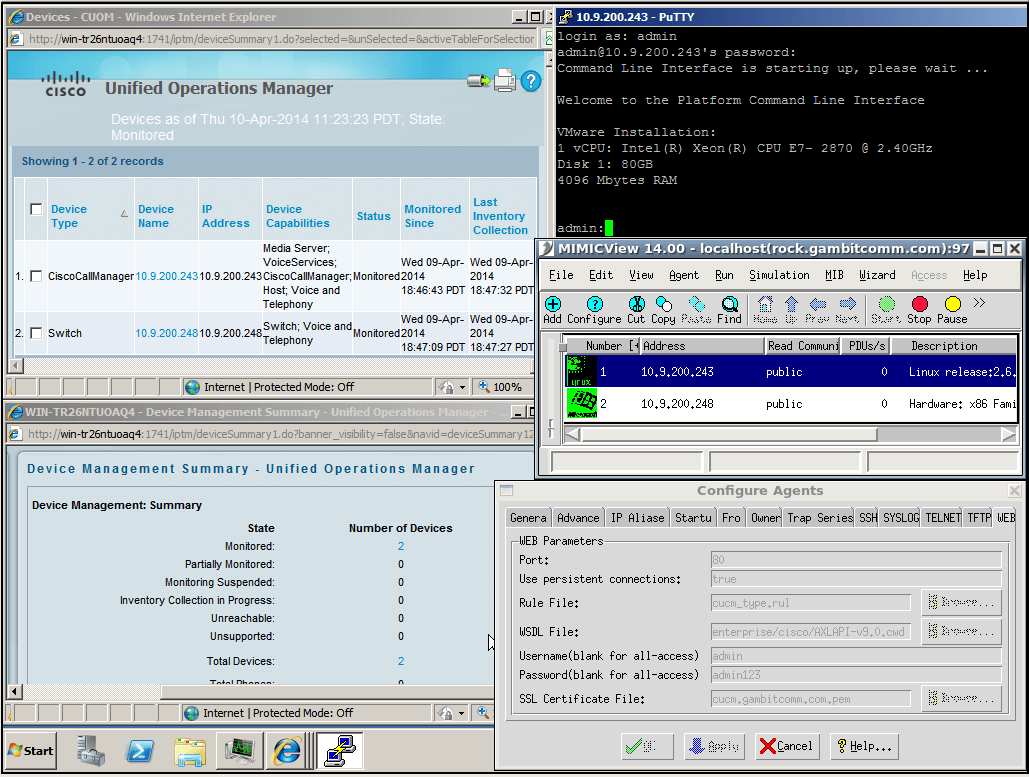
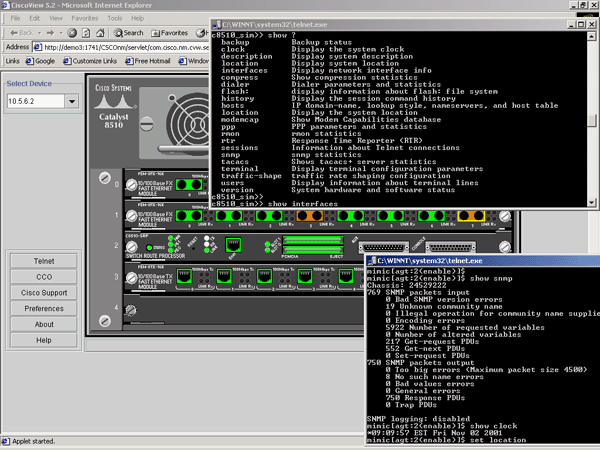
cisco_prime_with_mimic

Typically web-based simulation can take place either on the server side or client side. In the server side, there are lots of numerical calculations and visualization is well created on the web server. In the client-side simulation, the program needs to be downloaded by the client from the specific server but that can be completely executed by the client as per their choice.

For developing any kind of web application the web simulator helps you in creating good attractive and responsive web application, it offers you numerous setting options that allow building effective web applications. Some of the most recommended settings that are beneficial for the creating good web application are as follows:

• Application navigation bar
Address bar
Reload button
Browsing history details
Configuration
Panel button
Information details

• Simulator Configuration Setting
System setting
Device setting and so on

All these options are necessary for creating a good attractive and information based web application services. Many organization or business holders feel that there is the need for hiring simulation server service that helps us to enhance the business in a positive way as per the time and development to the technology. Many customers also feel to employ Iot simulator for the business enhancement and fulfill the desire of the customers by using some digital web solutions.
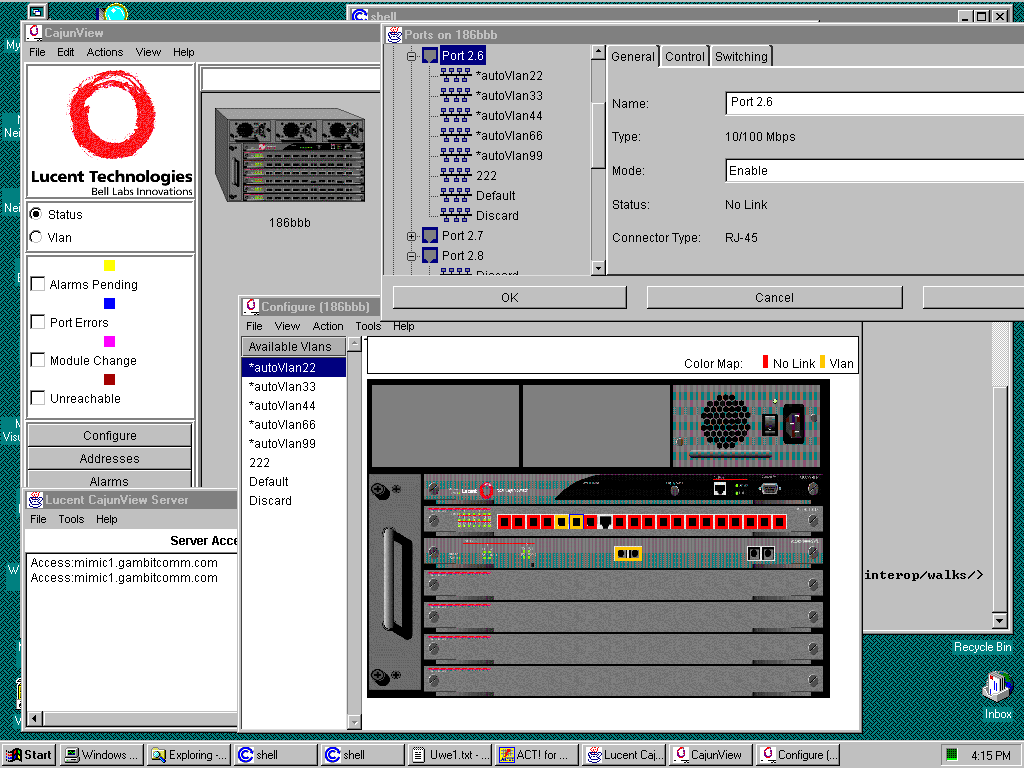
cajnview

One of the prime reasons for using simulators is that they are able to serve us with practical feedback while designing real web application. This allows the designers to determine the correctness, effectiveness, and efficiency of the actually constructed application. It is very important to get the desire and accurate feedback in the design phase itself rather than getting in the construction phase.

When the designers get the merits and demerits of the web application in the early stage that allows them to do modification as early as possible and make them more responsive as per the demand in the market and customers o serve them the better way. Another best positive advantage of simulation is that they permit the web designers to study or rectify a problem well enough and try to rectify them instantly. There are numerous things to be remembered while creating any web application and such unique methods helps the web designer to build innovative web applications. So, choose the correct web simulators as per your desire or business needs.

Sunday, 4 December 2016

Brief Information About The Network Simulator And The IOS Simulator

A good Network Simulator is the one which supports the most of the technologies which are used in the networking system. The Simulator is nothing but is a tool used to replicate the whole production system in order to process the real-time situation. With the help of the simulation process, there are various types of application are found according to the various field. Network Simulator is the popular technology used in the form of software in order to predict the whole computer networks. Network Simulator is a model for devices, application, links and much more. The Simulator can configure the network devices like routers and switches. The simulator can be used in the various fields and basically supports for financial analysis, insurance companies, information technology industry, and automobile companies too.

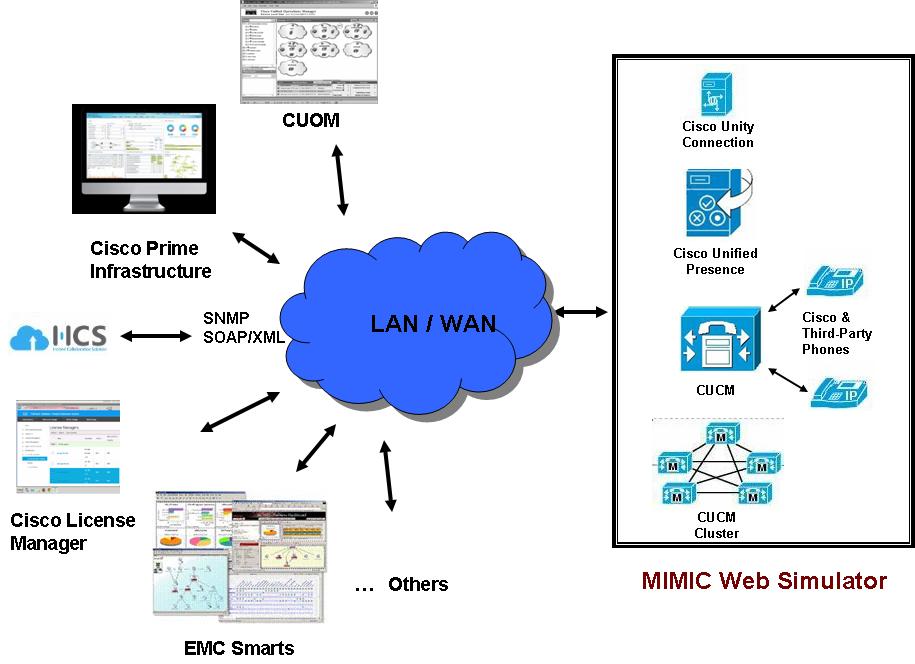
MIMIC_Web_Simulator

The software is mainly designed for the purpose of analysing the portfolio and network analysis. The simulator software is also designed for computing various type games by which the player can feel realistic of the game. There are some of the examples in the network simulators are a web based application; it is used to transfer the file when it comes to mail it helps to transfer the programs, used for messaging protocols, streaming voice, radio, video etc. All the files need a remote access to open it. The Network simulators are also co-related with many day to day activities like the online bank for money transfer, check your balance through online accounts etc, social networking like face book, LinkedIn etc, booking train tickets, bus tickets, flight tickets, and many smart phones application.

The IOS Simulator is a prototype which allows the app to do the process during the development process. It is installed as a part of Code tools. The simulator which runs on your android device and behaves like a standard app while simulating the various android oriented devices. There are many types of simulators in which we are going to discuss about the Cisco simulator. Cisco simulator is the one which is cheap are it is very easy to use the virtual lab instead of the real scenario. The virtual lab of Cisco is not only built up with IOS simulator but also there are good training materials are also provided. Purchasing the Cisco simulator is too expenses instead of that they can be used in the virtual lab with the real time scenario. You can also connect the simulator to your own desktop and laptops also and create your own home labs to practice daily. These commands are usually written by highly qualified instructors.

Cisco_IOS1

There are many types of simulators are available for Cisco router simulator they are Dynamips, Boson, and SemSim, Cert exams. Out of these, there are many other variations are there in each and every simulator by which we can learn them separately and have the depth knowledge about the simulator and help them out in various fields. From this article, one can to learn and gain brief knowledge about the network simulator and ios simulator, which will make you to learn more about the application.

Tuesday, 29 November 2016

Get the Applications on the SNMP Network


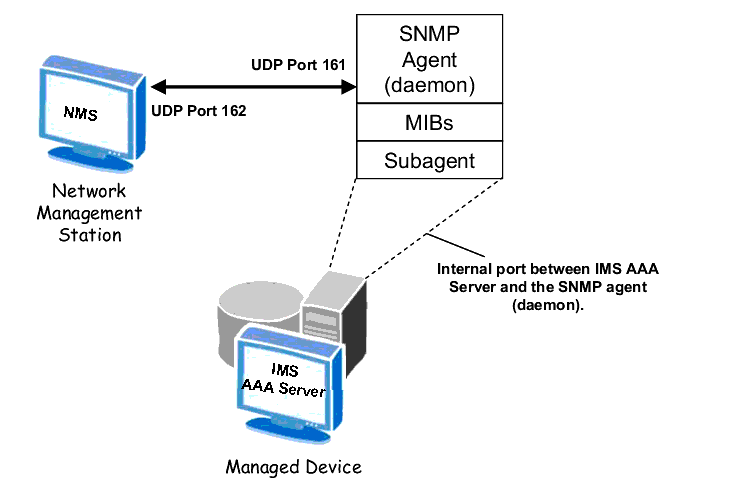
The SNMP stands for the simple network management protocol. it is the protocol based network management system. The SNMP is used widely to manage the TCP/IP-based and IPX-based networks. If you want to manage your network in the better way and you want anything for the monitoring of the network, you need to use the SNMP. It can be used for the monitoring of various Juniper, Cisco, Avaya, Microsoft and many other vendor devices. The working of the SNMP is very simple and it requires a management station and an agent for the working.

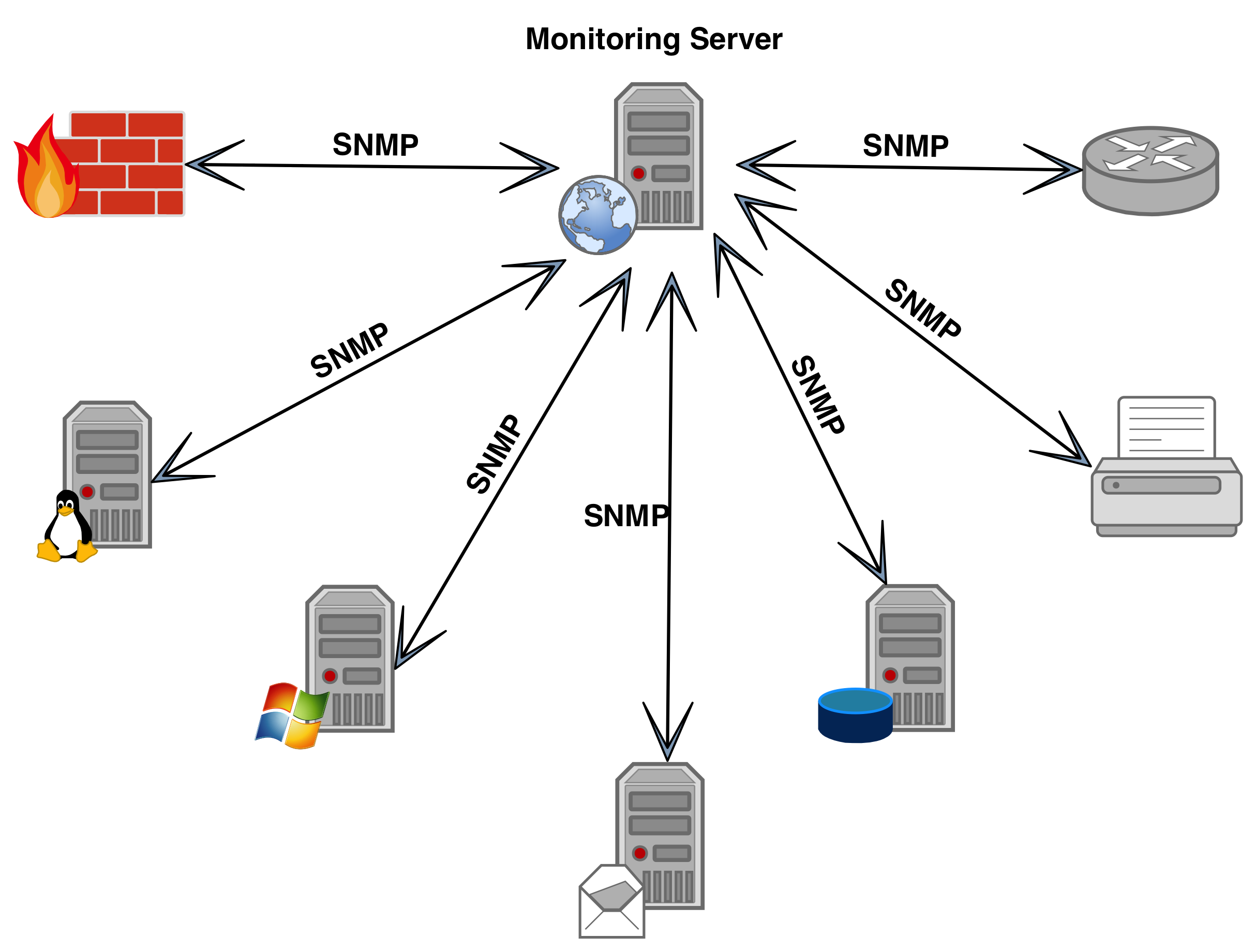
snmp.png 

The management station is basically software and it is used to collect the information from the network.The management stations can be very simple and very complex too. The agent is required in the system on which you want to monitor the network. The agent will collect the information from that system and will send the information to the management station. The agents can also send the notifications to the management station if the system has any error.

The SNMP agents are very useful for the hosts and these have the following applications for the user:

• Read or write capabilities: The SNMP provides the write and read capabilities to the user for the device configurations. The user can also reset the passwords and can reconfigure the IP address remotely by using the SNMP.

• Information of the bandwidth: The SNMP provides the ability to get the information for the user about any system. The user easily collects the information that how much of the bandwidth is being used by the system using SNMP counters.

• Collection of error reports: This network is also very useful for the collection of the error reports. It can be also used for the troubleshooting in case of any error. It is also used to identify the trends.

• Alert on low space: The SNMP is used to know about the disk space. It automatically sends the email or SNMP Trap to the user if the system has low disk space. So you can get the alert for the low disk space.


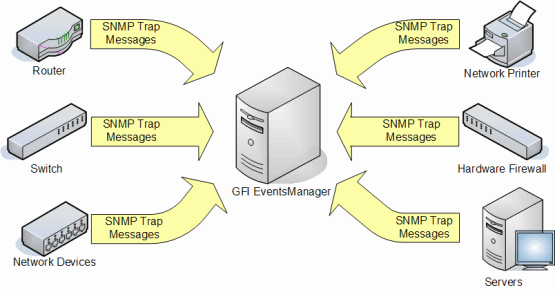
snmp-trap

• Monitor the server use: This system is also used to monitor the use of the server. The SNMP is used to track the usage of the CPU and the memory of the system. You will also get the SNMP Trap alert if the system is exceeding the usage limit.

• Report on device failure: SNMP is capable to send the text message or the page in case of the device failure. It is also capable to send the report to the management station if the system has any error.

The SNMP traps are used in the system to track the abnormal conditions and to notify the management system about it. So it is very good system to configure the errors of system and you can manage the system in best way.

The SNMP test. is also used to debug the SNMP configuration. The tester helps the user to debug the various problems in the system. So with all these applications and features, the SNMP provides the best options for the network management.

Wednesday, 2 November 2016

The Most Renowned Protocol for Network Management

Simple Network Management protocol or SNMP is a popular standard for network management. It's used for management information and designing system devices like router, switches, printers, firewalls and servers on an IP based networks. Microsoft windows 2003 server offers SNMP operator programming which works with outsider SNMP administration application to monitor the status of oversaw applications and gadgets.

SNMP foundation:

Created in the year of 1988 to provide network management ability for TCP or IP-based systems, Simple Network Management protocol (SNMP) was acknowledged as an Internet standard in the year of 1990 by the IAB and has been utilized broadly since that time. All the more recently, IPX based systems have supplementary support for Simple Network Management Protocol. At present, a large portion of the system gadget manufacturers' include SNMP capabilities in their products.

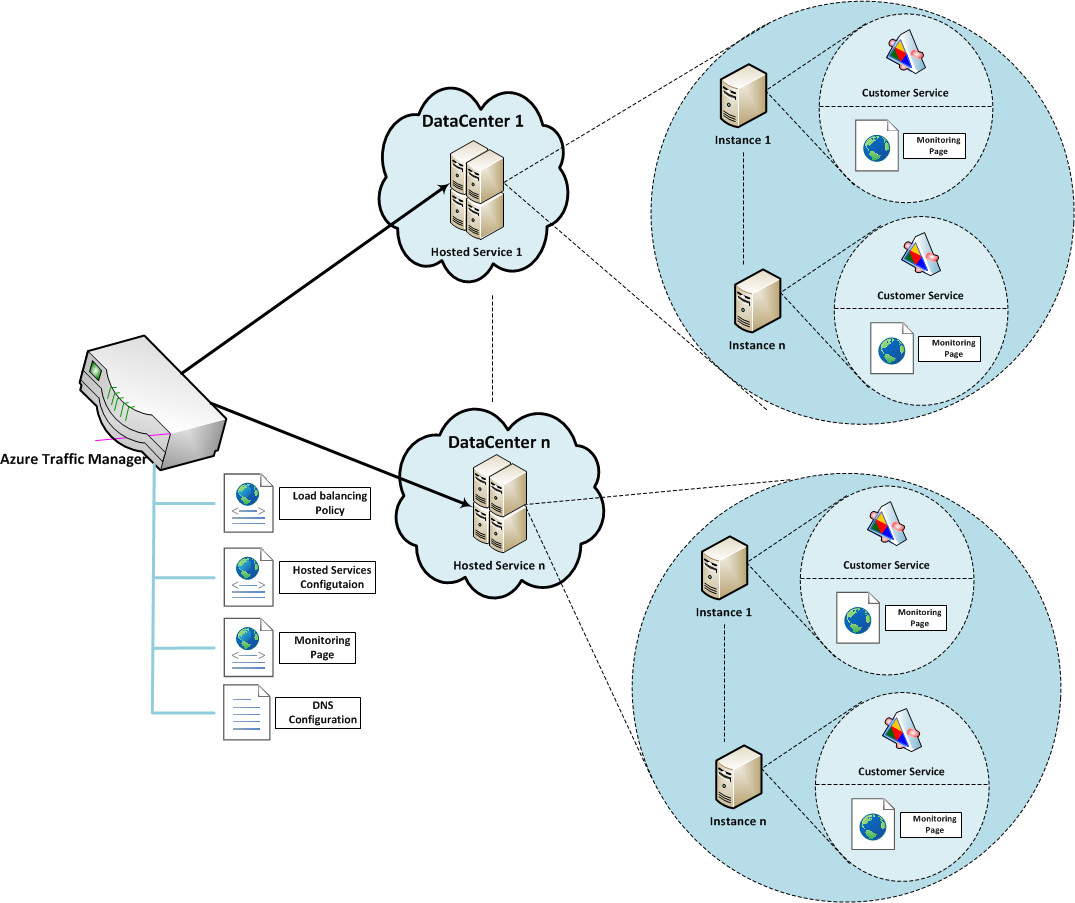
azure-tm-configuration

Automating system administrations:

Greater systems with bigger measure of hubs are complicated to handle without many network/system engineers to investigate every PC framework. Network Simulator, which is utilized broadly as a part of LANS (neighborhood), permits you to examine the network topology from a single place. Clients can configure various servers, printers, workstations, switches and routers, further more benefits like DHCP (Dynamic Host Configuration Protocol) or WINS (Windows Internet Name Service).

SNMP Agent:

This is a program that runs inside the system segment. Permitting the operator empowers it to collect the administration data record from the gadgets close by and makes it available to the SNMP Simulation, when it's requested. A portion of the key elements of SNMP operator's are:

• Accumulate administration data with respect to its network environment.

• Stores and recovers administration data as ordered in the MIB

• Acts like a substitute for some non SNMP feasible system hub.

• Signals an incident using a TRAP to the SNMP supervisor

13645124_1215929815107730_582349013039440640_nCentral orders of SNMP:
The straightforwardness in data trade has made SNMP as generally affirmed convention. Few of the essential summonses of SNMP are the accompanying:

• GET – The GET order is a demand moved by the SNMP administrator to the controlled gadget. It's performed to recuperate at least 1 value from the controlled hardware.

• GET BULK – The GET BULK order is used to recoup substantial information from enormous MIB table.

• SET: This charge is used by the SNMP chief to dole out or adjust the value of the managed gear.

MIMIC SNMP Simulator:

MIMICSNMP Simulator makes a system of up to 100,000 SNMP Agent Simulator. You can make any SNMP-based gadget with any number of open or private MIBs to run a huge assortment of gadget setups with your SNMP administration application. It gives you a chance to create a large number of traps to recreate debacle situations.

Monday, 31 October 2016

Know More AboutSNMP Traps and Network Management

SNMP is known as a PC arranges convention and stands for "Basic Network Management Protocol". This convention is a method for correspondence to frameworks, switches, switches and other diverse system apparatuses running SNMP specialists, use to transmit critical information with respect to their status, happening over the system, and whatever else issues that are happening. For the most part, these SNMP specialists are listening on two or three UDP ports that is 161 for general SNMP questions, and 162 for SNMP traps. At the point when a framework transmits a SNMP message in the structure of a trap, it doesn't make a difference which port it sends it out on, since the blocked off audience is by and large regularly listening on port 162, it ought to dependably send to 162.

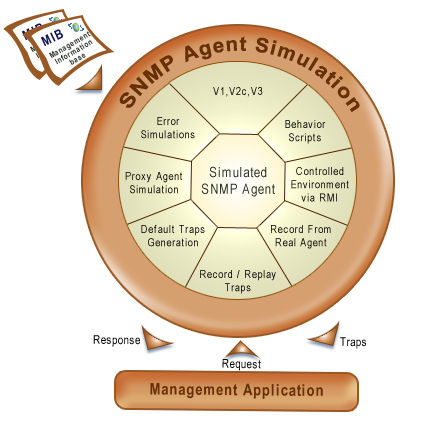
snmp_agent_simulator

General use for SNMP Agent Simulator starts with either prepared gadget gave the test system or recording the test lab or generation arrange. Another option is to make a recreation from MIB records. This is a decent choice if you don't access to a gadget. Once you've your recording accessible, Simulator could utilize it to make a gadget that reacts to SNMP inquiries simply like a genuine SNMP specialists on the recorded gadget.

SNMP traps are an imperative part of an entire system administration arrangement. The traps make utilization of a push method of contact, i.e. they send data to a system administrator without it requesting it, as a SNMP message known as a Trap. The overseer to make sense of conceivable occasions happening in the system, which can influence the system status, uses this data then.

Fault management for the most part comprises of these traps, and because of that, it's a receptive sort of innovation. In the meantime, execution administration comprises of surveying observing, in which a surveying procedure conveys a rundown of gadgets on port 161, and approaches their specialists for data identified with their arrangement and gathers their insights that the manager needs. Both of these administrations have their advantages and downsides, however what we wish to talk about additional here is the SNMP convention and how it connections to these trap messages.

The trap message has numerous different segments. Here we'll discuss the SNMP adaptation 1 trap. The least difficult intends to audit these parts are to make utilization of a convention analyzer, and confine these SNMP messages on the wire. Once gathered, the onlooker can see that the PDU is broken into numerous parts, including the endeavor, operator address, general and exact trap values, a period stamp, and a rundown of erratic ties.

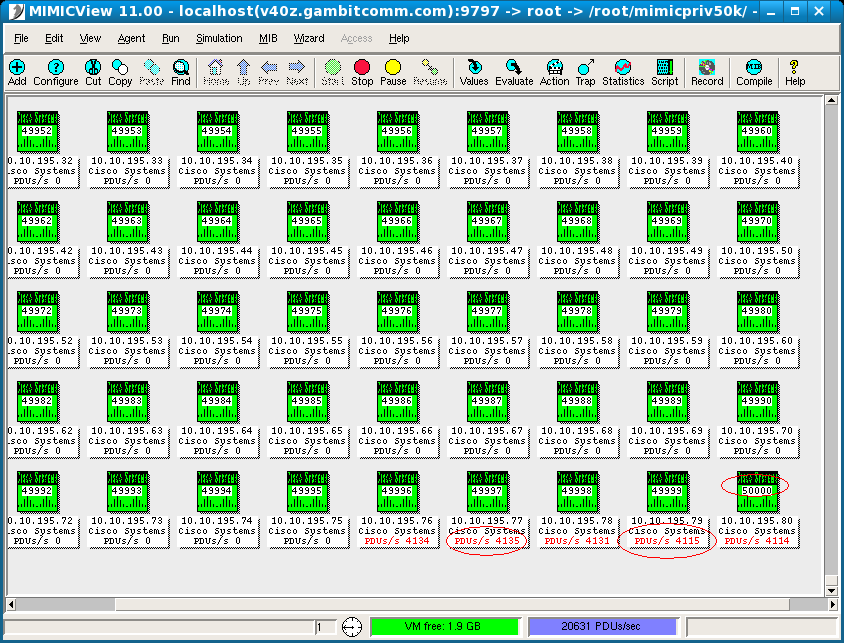
mimic-50000

Numerous online locales are there who are the supplier of instruments for reproducing servers, systems administration and capacity gadgets. Numerous driving ventures and systems administration merchants around the globe are utilizing our SNMP Simulator for testing, advancement, administrator preparing and calamity reproductions. Presently you can without much of a stretch test SNMP based applications and confirm your Cloud foundation by utilizing our MIMIC Simulator Suite. It can produce substantial trap storms at whatever point required, effortlessly.

Friday, 28 October 2016

The Essential Truth about SNMP Tests

When you are propelling an application that depends on SNMP, you need to first see if it will really work in your network as planned or not. The exact opposite thing you need to do is to deployan application that winds up creating extra load on your network by generating a lot of SNMP traffic. You may lose present and future clients and may think that it’s hard to draw in additional later on. Keeping in mind the end goal to stay away from such issues, you can exploit a solid SNMP test tool. This is one of the most effortless approaches to ensure a SNMP based network management application is working appropriately preceding the minute it is made accessible on the network. In the event that you are still cloudy about the real advantages of utilizing SNMP tests, consider the accompanying data.

SNMP Simulator
SNMP Simulator

A virtual situation for testing your application

In the event that you can make a virtual representation of the SNMP environment utilizing a SNMP Simulator that your application will manage, it will help you to fundamentally enhance the general execution of your application. This is precisely what the tests are about. The virtual environment accompanies highlights that effectively simulate your entire network and provide the same SNMP based application experiences.
A SNMP Simulator can become a very valuable tool for recreating your day-to-day and exceptional scenarios in your network. It gives an exhaustive rundown of occurrences that can help you to pick up a superior comprehension of your network management application and how best you can enhance its execution.

Simulate different real life events that your application may experience

Because of the SNMP Test, it is conceivable to mimic a significant rundown of genuine events that any SNMP based application is probably going to experience over the span of its operation. Eg, control blackout, switch down, system down, interface down, substantial activity and so forth. This is the thing that can help you to deal with the irregularities that might be connected with the execution of your application.

Test and simulate devices that your application might work with

A decent SNMP test system does not just comprise of components that recreate scenarios. Or maybe, it additionally scales to a high number of network elements and transaction between the virtual devices that might be associated with a system. Such elements empower clients to effectively simulate the operations of different devices being managed by a particular SNMP application.

SNMP Simulation
SNMP Simulation

Find defects inside the operations of your application

Not all applications are perfect from starting. Although some people can utilize their experience to create applications that are fit for working appropriately starting with no outside help, this is not generally conceivable particularly where complex SNMP Simulation are concerned. In this way, it is dependably an immaculate thought to ensure you benchmark the execution of your SNMP based network management applications with all SNMP operations like GET, SET, TRAPS etc. This will help you to uncover the imperfections in the operation of your application.

Thursday, 6 October 2016

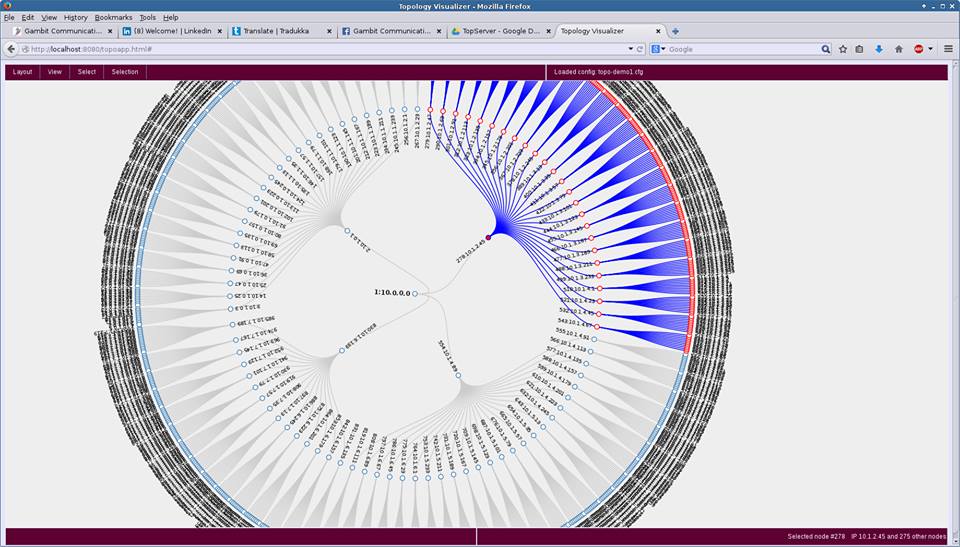
Create a large topology with MIMIC in 3 minutes

MIMIC Simulator Enhanced Topology Wizard to create a large star topology from scratch in 3 minutes.It is one of the major protocols that are used for the monitoring and management of many network elements.


This is one of the most notable application layer protocols for the management of information exchanged between various network devices. It is one of the major protocols that are used for the monitoring and management of many network elements.A suite of predefined scenarios is provided to investigate all the possibilities you can face in your mission-critical environment. For example, network down, router down, a range of traffic conditions over a shorter perio