Pages

Gambit Communications® Network Simulation

Gambit Communications® is a provider of tools for simulating servers, networking and storage devices.

Network management software

MIMIC Simulator for testing your network management software.

Network Management Apps

MIMIC Simulator for testing your network management software. SNMP Simulation.

MIMIC Web Simulator

Create a large virtual lab with Gambit Communications.

IOS Simulator

IOS based apps Using MIMIC Simulator.

Thursday, 2 July 2015

SNMP Traps – How Can Your Resolve Them

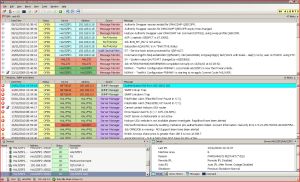
To manage network and IT infrastructure properly, one requires capturing and examining packets of information sent on the networks, known as SNMP traps. These are PDUs (protocol data units) sent by diverse systems, devices and agents on the network utilizing the SNMP protocols and contain info regarding events occurring to those systems. This information is very important to a network manager and it is essential that a capable NMS (network management system) is installed to capture this data in real-time. The secret is to ensure the network management system is capable of understanding and resolving the information contained in the traps.

SNMPThere’re several layers of information in the trap, known as variable bindings (VARBIND) and the management systems should be able to correctly recognize each variable bindings. Each variable binding contains a piece of information known as OID (Object Identifier). Each OID is comprised by a sequence of number, and each depicts a unique entity in the universe.

To recognize the OIDs, an effective system should utilize a complete ASN.1 Database. It also assists to have a quality MIB complier built into the system so users can gather and load new ASN.1 MIBs into the system in case the NMS finds an Object Identifier that it doesn’t comprehend. The complier breaks through the text, collects the objects into completely qualified OIDs, and slots in the information and its dependencies into the database for later use by the system. The best management system have ways of mechanically getting MIBs from online libraries and bringing them together into the system, and that way the system can have mechanical determination and resolution of these SNMP traps.

Apart from compiling and getting MIBs, a good SNMP trap management system can also have a configuration of trap filters. These filters have in-built inforSNMP trapsmation that enables the management system to recognize, categorize and arrange the information in a prearranged way. This is in fact the best means to deal with #SNMP trap PDUs, as it enables the system to work at a correct rate, particularly in the middle of a trap flood. These floods aren’t altogether uncommon, and the Network Management System should be able to deal with these in a timely and safe manner. Some of these systems have hundreds, even thousands of these filter definitions, and they can productively examine traps at a fast pace using de-duplication algorithms. As soon as these traps are received, and the Object Identifiers are recognized, the traps can be resolved accurately and then can be finally processed by doing the event correlation. The perfect SNMP trap solution can determine the situation and then within the situation look at the other possibly associated events that may be occurring also.
Follow Gambit Communications on:-
facebook twitter linkedin

Friday, 19 June 2015

SNMP – The Best Server Monitoring Tools

Server monitoring is essential to important IT infrastructural continuance. A great monitoring system not just creates alarm in reaction to important events but also offers the analytical tools to work on the bigger scenario in IT industry. For server monitoring purposes, some typical protocols are employed in the IT industry. However, SNMP is by far the most common choice and extensively used podium for server monitoring.

SNMP – a brief introduction:


Simple Network Management Protocol, SNMP is a standard protocol used to monitor servers on IP network. However, the use of SNMP extends to other devices comprising printers, switches, routers, etc. This protocol has a widespread use in NMS (Network Management System). SNMP checks each of the network-affixed devices for conditions worth assuring attention from the manager.

Working process of SNMP:

On the managed system, which organizes the system configuration – the management data are represented in the form of variables. As soon as the system is discovered by a management application, it collects all the configuration data. i It may change the configurations sometimes as needed. In case of normal SNMP uses, the administrator has a horde of tools on the management computer to perform all these operations. Around-the-clock, of the SNMP agent on the managed systems communicates with the management system. This agent takes the accountability of sending crucial information to the administrator via SNMP.

Why employ SNMP to monitor server?

SNMP is the best choice as far as server monitoring is concerned. SNMP sends easy-to-understand info to the network managers. That information helps in proper management of several devices. Only a single interface is adequate for the purpose of device administration through SNMP. It is an efficient and best device management system that makes sure a good communication between the management station and agents from various vendors. gambitThe complete network analyzer – a crucial tool of server monitoring through SNMP – provides timely analysis. Also, the analyzer is allocated the responsibility of viewing and handling statistics from the SNMP compliant tools. With the help of some crucial tools, SNMP does various important tasks comprising network interface mapping. An all-inclusive and extensive checking exemplifies the SNMP server monitoring. Regular monitoring and status display of diferent devices is a guarantee that you avail the best for your server administration and its smooth operation.

Server monitoring through SNMP uses the different network management devices to get the best piece of info concerning the network blockage. As the whole monitoring system is based on performance details from the devices, one can always anticipate SNMP to work wonderfully toward server monitoring.

Follow Gambit Communications on:-
facebook twitter linkedin

Wednesday, 10 June 2015

SNMP Message Types and Their Functions

Simple Network Management (SNMP) send operation requests and responses as SNMP message. A Simple Network Management message consists of an SNMP protocol data unit plus supplementary message header units classified by the appropriate RFC. An SNMP agent sends data in two circumstances:
• When it reacts to a request from an SNMP manager.

• When a trap event takes place

Below mentioned are SNMP message types and their function:

GET - Accesses and recover the present value of one or more MIB objects on an SNMP agent.

GetResponse - Responses to a Get, GetNext, or Set function.

MIMIC_diagram6

GetNext – browses the complete tree of MIB objects, interpreting the worth of variables in the MIB in sequence. Generally, one use GetNext to get information from chosen lines from one or more rows of a chart. GetNext is particularly helpful for browsing dynamic charts, like n internal IP route chart or an ARP chart, reading through the chart one row at a time.

GetBulk – recovers data in pieces as large as feasible inside the given limitations on the message volume. GetBulk, which accesses several values at one time without employing a GetNext message, lessens the amount of protocol exchanges needed to recover a big amount of data. To ignore fragmentation, limit the maximum message volume to a volume smaller compared to the path maximum transmission unit, the largest frame volume allowed for a sole frame on users’ network. Generally, when it isn’t recognized how many rows are in a table, GetBulk is employed to browse entire rows in the table.

SET – alters the present value of an MIB object. To update a MIB value on the SNMP agent, the SNMP manager should have access to the object. SET is employed occasionally, since most MIB objects are read-only by default, thus illegal changes can’t be made.

Trap – informs the particular SNMP manager when an unforeseen event takes place locally on the managed host. One can employ traps for constraint security checking or for troubleshooting.

SNMP uses the connectionless UDP (User Datagram Protocol) service to send SNMP messages. SNMP employs the simple UDP transport service, which assures neither delivery nor appropriate sequencing of delivered packet, thus SNMP can carry on functioning after several other network services have malfunctioned. By default, UDP port 161 is used to listen to SNMP messages, and port 162 to listen to SNMP traps. If essential, for instance, because your company already uses ports 161 and port 162 for several other protocols – you can modify these port settings by configuring the local services file.

Follow Gambit Communications on:-
facebook twitter linkedin

Monday, 8 June 2015

How SNMPM, MIBs and OIDs Work ?

SNMP (Simple Network Management Protocol) consists of three crucial components: managed devices, agents, and NMS (Network Management Systems). A managed device is a node which is required to be monitored and managed. It has an SNMP agent software running on it. These devices can be routers, switches, bridges, computer hosts, printers or hubs. An agent is an application unit residing inside a device and keeps track of all the device activities. This agent interprets data into a compatible format with Simple Network Management Protocol. A Network Management System is an application that manages all nodes by communicating with the SNMP agent..

Simple Network Management Protocol – a closer look at the MIBs & OIDs:

MIB (Management Information Base) is a set of data, which’s hierarchically organized. The different pieces of data are accessed by SNMP protocol. There are two kinds of MIBs: scalar and tabular. Scalar objects delineate a single object example while tabular objects delineate multiple related object examples collected in MIB tables.

mimic2OIDs (Object Identifiers) uniquely recognize managed objects in an MIB ladder. It can be represented as a hierarchy whose nodes are allocated by diverse organizations. Usually, an OID is a long cycle of numbers, coding the nodes, divided by dots. Top level MIB object ODIs belong to diverse standard organizations. Seller delineates private branches comprising managed objects for their personal products.

MIBs, OIDs and instances:

MIBs are set of definitions, which delineate the properties of the managed object inside the device to be directed. For instance, the standard objects to screen on a printer are the diverse cartridge states and possibly the sum of printed documents, and on a switch the distinctive objects of interests are the incoming and outgoing traffic and also the volume of package loss. Each managed device maintains a database of values for each of the characterization written in the MIB. Therefore, the accessible data is actually not reliant on the database, but on the execution. Each retailer of #SNMP tool has their appropriate segment of the MIB tree configuration at their disposition.

To arrange all these appropriately, all the controllable features of entire products are organized in this MIB tree configuration. Every ‘branch’ of this tree has a number and a name, and the total path from the zenith of the tree down to the point of interest outlines the name of that point. This total path is the OID. Nodes close to the zenith of the tree are of general nature. For instance, to acquire the Internet, one requires arriving at the 4th node of the Object Identifier. When the user move further down the tree, the names get more precise, until he/she gets to the foot, where each node depicts an exact feature on a particular device.

Follow Gambit Communications on:-
facebook twitter linkedin

Tuesday, 2 June 2015

Several Advantages of Cisco NetFlow

Rapid increase of IP networks has developed curiosity in new business software and services. These innovative services have consequence in swells in demand for network bandwidth, performance, and expected quality of services. At the same time, the requirement has appeared for measurement technology to support this development by effectively offering the information needed to trace network and application resource use. Cisco's NetFlow protocol offers solutions for each of these difficulties.

NetFlow traditionally allows several crucial customer applications comprising:

netflow_sim_constant1Network monitoring - NetFlow data allows real time network monitoring abilities. Flow-based analysis methods may be employed to envisage traffic patterns concerned with individual switches and routers and also on a network-wide basis to offer hands-on problem finding, professional troubleshooting, and quick problem resolution.

Network planning – NetFlow can be employed to detain data for a long period creating the chance to track and expect network expansion and plan improvements to improve the total of routing tools, ports, or bandwidth interfaces. NetFlow aids to lessen the total expense of network operations while exploiting network performance, competence, and dependability. NetFlow distinguishes unessential WAN traffic, authenticates bandwidth and Quality of Service and enables the examination of new network software. Most importantly NetFlow will offer you helpful information to decrease the expense of running your network.

Security analysis – NetFlow detects and categorizes DDOS attacks, worms and viruses in real-time. Modifications in Network performance indicate irregularities that are evidently displayed in NetFlow data. The data is a helpful forensic tool to comprehend and rerun the history of security occurrences.

Accounting or billing – NetFlow data offers fine detailed metering for extremely flexible and comprehensive resource deployment accounting. Service suppliers may use the information for billing depend on time-of-day, bandwidth use, application use, service quality, etc. enterprise consumers may use information for cost distribution for resource consumption.


User monitoring & profiling – NetFlow data allows network engineers to get thorough understanding of consumer or user deployment of network and application resources. This info then may be used to effectively plan and distribute access, backbone and application resources and also to spot and solve possible security and rule infringements.

Follow Gambit Communications on:-
facebook twitter linkedin

Wednesday, 20 May 2015

Advantages of Using Network Management Software

There are three different kinds of network management software. Potential users can anticipate discovering software that acts mainly as antivirus software. Software that enables users on the same network to swap messages with each other internally is also usual. Finally, there’s software accessible based on serve uses. A typical network management package will hold at least two of these functions, though there’re diverse programs for diverse uses and settings.

All kinds of network management application have the same prime purpose. Each program’s aim is to restrict end-user contract. This signifies that the application is developed to combine units such as drives, files, and messaging networks into 1 server. There’re several advantages to this type of computer network. IT professionals discover that a computer network not just improves security, but permits for greater ease of preservation, troubleshooting, and restoration.

Common among the diverse kinds of network management application is the capability to observe the network computers and the performance of the wireless network. OpenNMS® is an instance of an increasingly popular kind of network management program. These applications are effortless to make use of and since they depend on the utilization of open-source program. This makes way for more inexpensive software that enables several of the essential monitoring and end-user computer networking operations. This kind of software program also has a powerful and reliable system that informs administrators of network problems.

There are also many high-end network management software that are specially designed for use in highly specialized contexts. Whether it is a health-care industry or any commercial industry, there is network management software to meet users’ need. Without any doubt, the accessibility of such dedicated network management software or programs makes it simple for clients to acquire to maximize their platforms. Both small and large companies can benefit from efficient network management software.

Follow Gambit Communications on:-
facebook twitter linkedin

Tuesday, 5 May 2015

Network Simulation Explained

Simulation is employed to test the functioning of the developed programs universally. Likewise, network simulation is the method which mechanically anticipates the future activities of the network in different circumstances, also represents the future activities and communications between the hardware affixed to the networks. Most importantly, network simulation assists the scientists and researchers to discover the mistakes and faults in the networking system and offer the help for enhancing the networks.

 What is network simulator?

https://www.webnms.com/simulator/images/network_simulator.gifNetwork simulator is an application that replicates the working of network devices and their connections. It represents and forecasts the data transmit and communication accurately. A large-scale network can be simulatedto test networking applications and make sure that the application is working appropriately. Network managers and individual users can also modify the simulator to create their own network scenarios.
 
How network simulation operates?

Different types of units are occupied in the process of network simulation, including switches, routers, packets and their links, which jointly make the pre constructed network simulator.

Uses of network simulation:

Network simulation methods are employed to test various features and scalability of a networking application. Using network simulation users can setup the network behavior in the extreme conditions, best and worst case so that the application’s abilities could be tested in the best possible manner. Different types of network simulators are available for different types of applications.

Follow Gambit Communications on:-

facebook twitter linkedin