Pages

Gambit Communications® Network Simulation

Gambit Communications® is a provider of tools for simulating servers, networking and storage devices.

Network management software

MIMIC Simulator for testing your network management software.

Network Management Apps

MIMIC Simulator for testing your network management software. SNMP Simulation.

MIMIC Web Simulator

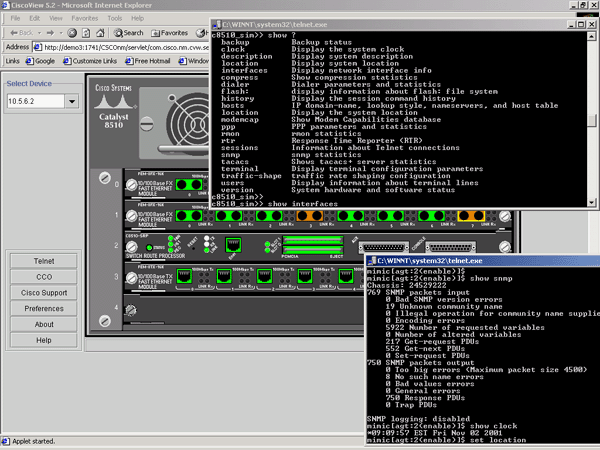
Create a large virtual lab with Gambit Communications.

IOS Simulator

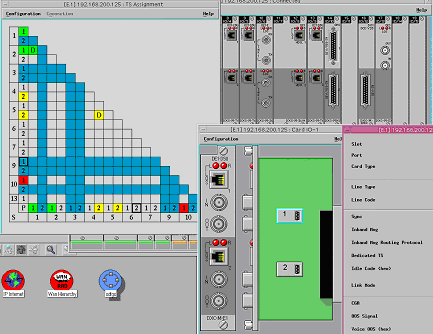
IOS based apps Using MIMIC Simulator.

Tuesday, 1 March 2016

Create a Virtual Lab on Your Own Using a Simulator

From past few years science has achieved new heights by many new inventions and discoveries. Not only science every sector has faced this technological advancements due to digitalization of everything. Computers have become an essential machine used for various purposes. Now-a-days almost everyone use computers for different works. Slowly everything is getting digitalized like money transfer, e-shopping, online payment, etc.
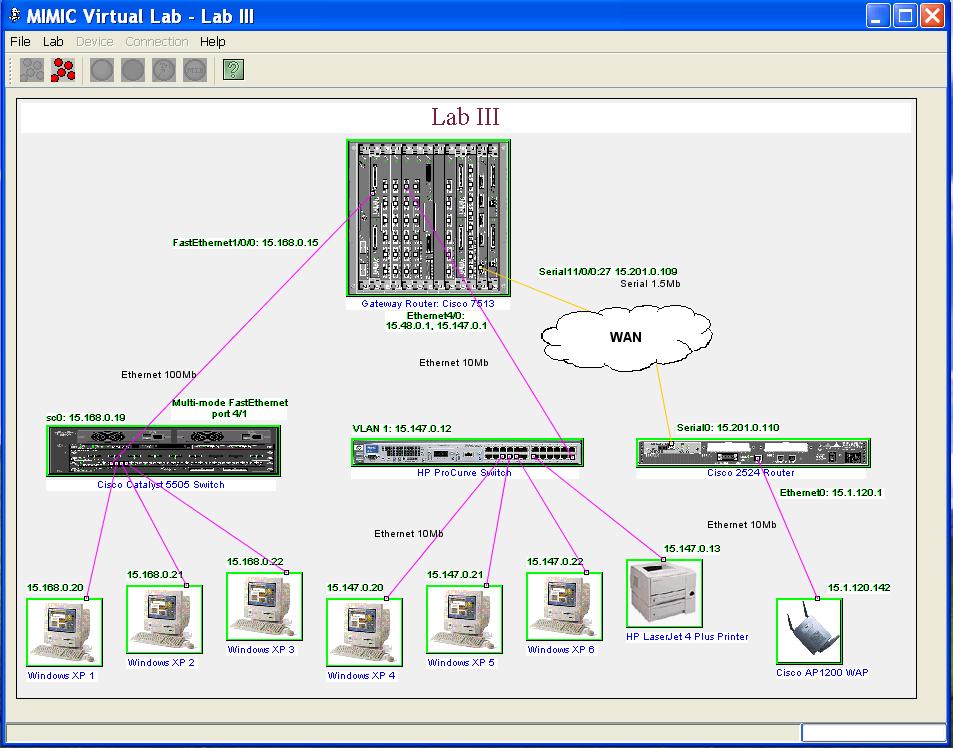
evlab3

People have adopted these new technologies and use them in their day to day life. Communications systems have also developed and people can easily interact with each other. Social media sites like Facebook, twitter, Google+ are also used by most of the people. Facilities like video calling has made it easy for the people interact with the people.

Various simulators available for your use:

Today even different virtual equipments are available for you to use. There are certain things which aren’t meant to be used by everyone, instead there are some tools and virtual software called simulator by which you can run these equipments. A simulator is nothing but the imitation of the real operations or systems and it works as the original one. There are many companies which provide such types of tools and simulators and are available for the public and anyone can use these tools. Gambit Communications is one such company which helps you to create a large virtual lab of your own.
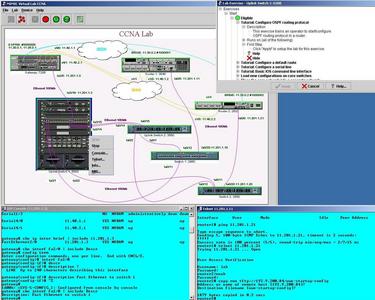
mimicvlab6
Gambit communications provides variety of tools and simulating software designed for various purposes. They provide various management software like MIMIC Simulator suite, MIMIC virtual lab, SNMP Simulator, NetFlow/sFlow simulation etc. Cisco IOS Simulator is also available here which can be used in different platforms Windows, Linux, Cloud, etc. It is mostly used to test your network app during the development process and you can find any major problems during your app’s testing

All about SNMP:

SNMP also known as simple network management protocol, is a protocol for management system. also It uses used to TCP/IP based networks. SNMP simulator is used for testing managers against a large number of agents that represent a potentially a very large network populated with different kind of SNMP capable devices. As SNMP is important tool for monitoring, it is essential to have a SNMP Test to check whether the SNMP system is working correctly or not. Testing software can be installed on your computers to test whether the NMS application is working correctly or not. Gambit communication provides you the complete solution to test all types of problems.

SNMP also provides ability to send alarms which are called SNMP Traps, to advise an administrator when one or more conditions have been met. These traps are the network packets that contain data relating to the device where the condition has occurred.. These traps are alerts generated by agents on managed device, there are 5 types of data generated by the traps.

The different software are available online in the company’s website from where you can download them and install on your computer and do your respective testing or training. If you face any kind of problem regarding these software then you can directly contact the company. They are know of their responsive technical support.

Follow Gambit Communications on:-
 
facebook twitter linkedin

Wednesday, 24 February 2016

Network Simulator - the Smartest Solution for NMS

The SNMP Simulator was particularly made to help test network managers against a huge number of SNMP based devices. From a manager's point of view SNMP Simulator is a lab filled with a huge number of actual physical devices.

The standard behind SNMP simulation is that the SNMP is an interface that can be simulated. I create a database based on MIB objects that could be form responses to your requirements, so representing any device which supports SNMP. The entire network is modeled inside a personal computer. The simulated lab can be reachable from anywhere on the network, just like a real network.

Cisco_IOS1

MIMIC SNMP Simulator creates a virtual test lab that network management applications can be tested against. Usually, in order to test against such networks for software training, testing or development, physical gear had to be separately bought and setup within laboratories. That is really expensive in terms of cost of the devices, maintenance and space. MIMIC Simulator reduces those expenses by simulating the entire production networks.

MIMIC SNMP Network Simulator permits IT personnel to create realistic simulated networks of devices without purchasing any additional hardware, e.g. for testing of NMS applications. MIMIC SNMP Simulator can simulate numerous SNMPv1 or v2c or v3 agents on a single host. Individual simulated device responses can be accessed from anywhere in the network and can easily be customized at runtime by customers.

Gambit Communications is a manufacturer of SNMP based network simulators for simulating network, storage devices and servers. Several networking vendors and enterprises around the world use MIMIC for development, testing, operator training and disaster simulation.

Every corporation has varied needs for their simulation setting. For this purpose Gambit Communication delivers a customization service that can provide various different sizes of the simulator along with the support services. Some examples of the customizations include:

• Custom duplication of the lab or production network
• Generate a Variety of trap storm of variety of alarms and values
• Simulate command line interface for different OSs
• GUI and command line based interface for simulator control
• Simulation of agent communication malfunction

SNMP

MIMIC SNMP Simulator makes a network of up to 100,000 devices. You can make any SNMP built device with any number of private or public MIBs to run a huge variation of device configurations with your SNMP management app. It allows you generate a lot of traps to simulate disaster scenarios.


Follow Gambit Communications on:-
facebook twitter linkedin

Wednesday, 13 January 2016

How to manage an IP network efficiently

Modifying the behaviour of an IP network device can prove to be challenging. But, thanks to SNMP protocol, such a challenge is no longer there. Device connected to an IP network can be studied and modified according to the specifications of the network provider. This is possible through the use of SNMP or Standard Network Management Protocol. It is one of the most viable ways of collecting and organising information about IP based devices. Once the information has been collected and organised, it can be used modify the behaviour of a specific IP network device. There are numerous devices that can be connected to an IP network. Notable examples include routers, switches, hubs, modems, servers and printers. All these can be modified in line with the preferences of the IP network owner. This is made easier by the use of SNMP. It is the best way to manage an IP network and the devices that are connected to it. Features of SNMP that make it a very reliable IP network management tool are highlighted in the passage.


The use of SNMP tests

One of the most notable reasons why SNMP is used for the management of IP networks all over the world is the fact that it can easily be tested. Unlike other IP network management systems, this one can easily be tested and monitored for any flaws using a SNMP Simulator. This makes it one of the most efficient IP network management systems that are available today. The tests are designed to provide a platform for understanding the actual performance of an IP network management system. It enables managers of a network to know if the management tool is working efficiently. The tests are very easy to set up using a SNMP Simulator and modified according to the network manager’s preference. Using the tests, it is also possible to know if management applications can manage the devices connected to a specific network are behaving in a manner that is acceptable or not. This explains why SNMP test tools are used extensively in most network management fields. It is the best way to root out IP network inconsistencies and errors.


Virtual reality

Virtual reality is a unique feature of any SNMP testing tool. This is a very important feature because it enables IP network managers to simulate the actual SNMP and its associated SNMP traps that are used to manage IP networks. The simulator is home to all the features that are associated with the real SNMP based devices. Therefore, it is a reliable platform for studying the behaviour of a network and making the appropriate changes in order to enhance the performance of a network.

Standards for network management

The SNMP suit comes with a number of standards for the management of an IP network. In as far as IP network management is concerned; adhering to certain standards always affects the efficiency of the management method. Therefore, the SNMP simulator and the real SNMP are both designed to provide an acceptable way of managing any IP network along with the devices that are connected to it.

Follow Gambit Communications on:-


facebook twitter linkedin

Improve the performance of your network through network simulation

Enhancing network performance can prove to be challenging. Sometimes it is not very easy to pinpoint categorically the flaws of a network application and the appropriate action to take. This can be attributed to the complex nature of most network systems. For example, IP networks are usually complex to analyse in real time. As such, they are often analysed and corrected through the use of SNMP simulators. Today, you can improve the performance of a specific network through the use of a network simulator. This is the most viable way of monitoring the performance of a network and enhancing its performance. There are numerous attributes of network simulators that make them the most reliable tools for improving the performance of any network. The following are some of the most notable features and attributes of typical network simulators.


They are computer programs

One thing that is worth taking into account is the fact that simulators of networks are computer programs that have been designed to provide a viable platform for the simulation of variety of networks. This is the main reason why they are used in virtually every network research that is available. A simulator is computer software that has been designed with features whose behaviour is consistent with real networks. This attribute applies to all the network simulators that are available today. Major examples of network simulators include SNMP, NetFlow, SFlow Cisco IOS simulator and web simulator. The Cisco IOS simulators are different device simulators because they provide a platform for understanding the behaviour of a Cisco specific network along with a device operating system. A Web simulator replicates the behaviour of web services in real time.


They simplify complex computer networks

Today, a good number of computer networks are said to be too complex to analyse and understand. There are numerous features that are incorporated into network systems which make them too complex to analyse. As a result, accurately pinpointing network flaws and inconsistencies is almost impossible. Thanks to network simulators, it is now very easy to record and duplicate networks of any kind irrespective of how complex they may be. Even the most complex computer systems can now be simplified using a simulator without leaving out any of their notable features.

Network behaviour can easily be studied

If you want to accurately study the behaviour of a specific network, the use of network simulators is advised. This is the best way to test, support and study any kind of computer network irrespective of how complex it may be. Notable features of computer networks can be analysed and understood in a much easier manner. Major examples of network features include applications, links, devices and performance stats. All these can be studied and analysed in a much easier manner. If there are any devices connected to a network, these can also be studied with sheer accuracy. It is easy to study the behaviour of a network using a simulator because its features can be observed at a level which is easy to understand and modify.


Follow Gambit Communications on:-


facebook twitter linkedin

Monday, 11 January 2016

Enhance the performance of your IP network today

Simple Network management protocol or SNMP is an internet based standard protocol that has been designed to help clients or users to organise information about devices connected to a specific IP network. The main essence of collecting and organising device information is to alter the behaviour of any IP based device that is connected to any SNMP based network management system. Today, this form of device control is used extensively in managing networks. This is mainly because it is an effective way to monitor the performance of IP network devices of various kinds. Major examples of IP network devices include switches, routers, hubs, printers, servers and firewalls. If you have prospects of enhancing the performance of your IP network, you can take advantage of a SNMP Simulator. There are numerous features that are associated with the simulator which makes it a viable tool for enhancing the performance of any IP network. Some of the most notable features of the simulator are indicated in the passage.


Multiple devices are available

All IP networks have multiple devices connected with each other in some fashion. These devices are there for the execution of certain specific tasks. For example, printers and routers and are available for printing and internet connection tasks respectively. The SNMP protocol is available for monitoring and altering the behaviour of these devices. Therefore, the simulator can mimic the behaviour of network of many devices which can be monitored and modified as often as the need arises. When you are using a simulator, you will not have to worry about collecting devices that you want to connect to your IP network. The simulator is home to many devices which you can use to simulate a network of your choice. Actually, the choice of devices will depend on the IP network you want to set up or have set up already.

IP network management possible

SNMP simulation allows you to mimic the IP network and easily test the management appliations. Although this is not in reality, for the applications it feels no different. It provides a real version of an IP network that you can use to monitor the performance of an IP network along with the devices connected to it. In other words, you will be able to manage an IP network that you have set up using your simulator. This will give you a clear picture of the actual performance of your current IP network. Modifying your IP network devices is also possible.

IP network device behaviour can be monitored

All the devices that are connected to your IP network can be monitored accurately and modified accordingly using a simulator. Once you have set up an IP network in a simulation lab, you can accurately and conveniently monitor the behaviour of all the devices that are connected to the IP network. This can help you to know the action to take in case the need to modify the behaviour of the devices connected to the IP network arises.

SNMP features in virtual reality

In a simulator, you will be able to use all the tools of the real SNMP based devices. This will enable you to have an edge on the handling and usage of the features of the real SNMP.

Follow Gambit Communications on:-

facebook twitter linkedin

Friday, 11 December 2015

Three commonly used Simulators: Web, IOS & Network Simulators

A number of simulation systems are being developed, every day. Needless to mention their applications and uses! For example, flight simulators are used for training pilots to be able to respond quickly in critical flight situations. They are equipped with features that are aimed for pilots to think that they are actually driving a real plane; or the prevailing flight situation is actually a real one. Similarly, military simulation systems make the troops believe that they are interfacing with real opponents in a real battle.

Today, a number of simulators have come up related to testing and verifying the networking applications and day-to-day functions. We are highlighting only three of the most important simulators here.


Web Simulator

One of the main simulators that is used today is the Web simulator. This is used to simulate a real web server. It is mainly used for the developers of web based applications. Actually, most of the projects that are based on this simulator are aimed at coming up with testing the scalability of the web based applications that is capable of managing thousands of web services. The main essence of having the simulator is to make sure that all the necessary requirements of the web application have been met. There are numerous features that come with this simulator. Most of the features are aimed at starting, stopping and changing various fields for web app developers to easily come up with high performance applications with no errors. There are tools for debugging web based systems and to check their performance before they can be in operation.


IOS Simulator

Another important simulator that is commonly used today is the Cisco IOS Simulator. This is one of the most popular simulators that are available today. It comes with a number of features that have been incorporated for purposes of replicating a real IOS. The IOS is the operating system for Cisco. IOS simulator works on Cisco devices which include the 3640, 7206, 6260, 6500 and works seamlessly with, Cisco Prime Infrastructure, GSR manager, Cisco works 2000 and other network management applications. The simulator can replicate thousands of Cisco devices and then Telnet/SSH in to those devices. Then send “Show” commands to get the configuration and “Configure” commands to set the configurations, just like real Cisco devices.


Network Simulator

Another simulator that is also used on a wide scale is the Network Simulator. It boasts of many features that make it suitable for simulating a real network. The network simulator is actually software that is mainly used for predicting the behaviour and performance of any network applications. Under normal circumstances, it is difficult to analyse computer networks due to their complex nature. Therefore, network simulators are used to study their behaviour. It can simulate thousands of networking devices to try various scenarios to make sure applications manage those correctly.

Friday, 4 December 2015

SNMP explained in great detail

The word SNMP are often talked about by people who have studied networking and other related computer network studies. But, they are not often explained in detail to lay people who may not easily understand what is being talked about. However, a concise explanation of what the word really refer to is given in this passage. The information is accurate enough to provide an understanding of the word and what it represent. One good thing about the information that has been presented in the passage is the fact that it can easily be understood by anyone who has a unique interested in computer networks. This also applies to any individual who is studying an academic program that is related to computer networks.

First of all what is SNMP? In simple terms, this is simple network management protocol. It is a means of network management that is based on a network protocol. The management protocol is mainly used to manage networks based on IP or TCP. A number of devices support SNMP. Major examples include routers, switches, modems, internet servers and printers. In general, this network management protocol can be thought of as a means of communication between several devices and a management application.


A number of devices are often controlled by management applications using SNMP. Actually, the SNMP enables devices to operate as a collective unit exchanging information with the management application. The manner in which this protocol operates is that it takes advantage of the manager-agent model. In this kind of model, there are agents as well as the network managers. The network agents can be as small as an office network or as large as a globally based telecommunication network. On the other hand, they can also be any simple device such as a network server, desktop or any device that is compatible. The simple communication that takes place between the manager and the external device or agent is based on an exchange of information. Information from the manager or tap receiver is sent to agents, which send back a response.


The messages that are sent by the SNMP protocol are referred to as TRAPS, GETS or SETS. There are also other two types which exist. These include GET-RESPONSE and GET-NEXT. This is the list of messages that the manager sends request to the devices for purposes of getting information from them. Only the SNMP Traps are commonly used for agents to send information to the managers without any request. The main essence of sending these messages is to send an alert to the manager as soon as the need arises. They are quite unique because they are the only ones which can be generated by an agent. These messages can also be used to send information on issues that have gone wrong. The agent can only be ‘aware’ of any issues that may have gone wrong if the information is sent to it in the form of traps.


Follow Gambit Communications on:-

facebook twitter linkedin